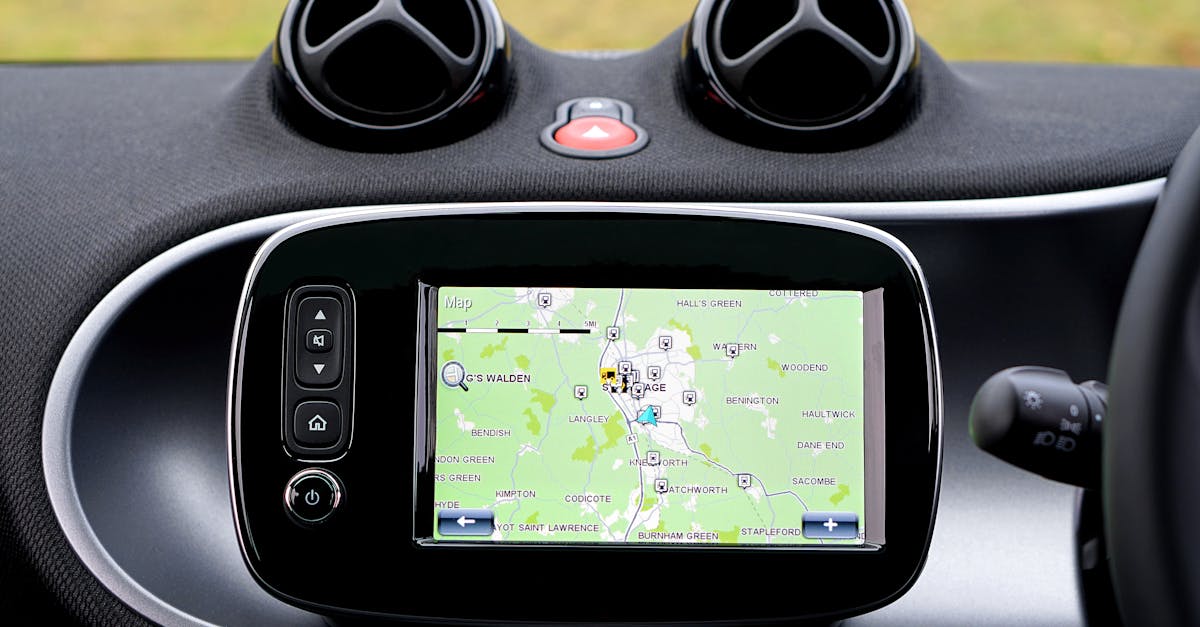
In today’s mobility environment, keeping your GPS system up to date is more important than ever to benefit from accurate guidance adapted to new road network developments. Despite the rise of connected solutions like Android Auto and Apple CarPlay, many vehicles, especially those built before 2015, still have a traditional built-in GPS system that requires regular maintenance. The majority of European vehicles are over a decade old, whose often outdated onboard systems can be misleading. Updating your GPS is sometimes perceived as a complicated and expensive task, yet solutions are available to make this process easier. This practical guide uses concrete examples from manufacturers such as Renault, Peugeot, Citroën, Volkswagen, Audi, BMW, Mercedes-Benz, and Toyota, as well as GPS manufacturers such as TomTom and Garmin, to guide drivers step by step towards a better navigation experience.
Why Updating Your Built-in GPS Is Essential for Your Safety and Comfort
An outdated GPS system can quickly become a liability during a journey. With infrastructure constantly evolving, new roads being built, one-way signs being changed, and risk areas being added, GPS must be updated frequently to remain reliable. Incorrect guidance can cause wasted time, erroneous directions, and even dangerous situations.
Integrated navigation systems in cars like those from Renault, Peugeot, or Citroën, based on platforms such as Media Nav or R-Link, require regular updates, which are also found in other German manufacturers like Volkswagen, Audi, BMW, and Mercedes-Benz, as well as Toyota. A vehicle equipped with a GPS that doesn’t have updates may also display incorrect speed limits or fail to take into account new speed cameras and road features.
In addition to safety, updates improve driving comfort. For example, the presence of points of interest (restaurants, gas stations, parking lots), real-time traffic information, or alternative routes can radically change trip planning. A well-updated TomTom or Garmin system offers smoother and more accurate guidance, with relevant alerts. 🗺️
- Updated maps to reflect changes in the road network ⚠️
- Corrected guidance errors and updated safety information ⏱️
- Optimized travel times and smart alternatives 📍
- Updated points of interest for more services en route 🔄
- Updated software for optimal operation A summary table shows the possible consequences of an outdated GPS:
Aspect
| Consequence | Consequence in 2025 | Road network |
|---|---|---|
| Incorrect guidance on modified roads | Greater number of new infrastructures in cities and peri-urban areas | Speed limits |
| Outdated information | Increased risk of automated fines from modernized speed cameras | Points of interest |
| Missing services | Loss of opportunities for breaks or refueling | Software functionality |
| Crashes or slowness | Severely degraded user experience | For road safety and comfort, updating your GPS system is more than just an option; it’s a necessity. However, drivers often perceive updating successfully as a challenge. The next section will detail the specific steps to follow depending on the model and make of your vehicle. |
Discover how to easily update your GPS to benefit from the latest maps, routes, and improvements. Follow our tips to keep your navigation system up to date and travel with complete peace of mind.
The procedure for updating a built-in GPS varies considerably from one manufacturer to another. Major brands such as Renault, Peugeot, Volkswagen, Audi, BMW, Mercedes-Benz, and Toyota each have their own dedicated solutions, platforms, and tools.
The first step is to precisely identify the model of the on-board system—for example, R-Link for Renault, Media Nav for Peugeot, or iDrive for BMW. This will allow you to download the correct software and updates. Here’s a general guide to the steps to follow:
🔍
Identify the GPS system and manufacturer’s software:
- A quick look in the system menu or on the brand’s official website will reveal the exact version. 💻 Install update tools on a computer:
- Download free software such as Renault Toolbox, Peugeot Update, or specific applications for Volkswagen and Toyota. For some TomTom or Garmin GPS models, dedicated software is available. 🔌 Prepare the transfer media:
- Generally, a USB flash drive (16 to 32 GB) or an SD card formatted in FAT32 will be required to transfer the data. ⬇️ Download the update files
- on the computer after entering the vehicle’s VIN number and system reference. 🚗 Inserting the media into the vehicle:
- The car automatically recognizes the update and initiates the process provided the engine is running or in accessory mode. ⌛ Patience during the installation:
- Do not interrupt the update to avoid data corruption. The update generally takes 10 to 30 minutes depending on the file size. For some older models, such as older BMWs or Mercedes-Benzes, the update may require a dealership visit in the event of a problem. These steps often involve a cost, which varies depending on the manufacturer’s sales policy. Here is a comparison table of update software offered by some manufacturers: Manufacturer 🚘
Software Name 💻
Required Media 📀
| Approximate Cost 💶 | Renault | Renault Toolbox | USB Flash Drive / SD Card |
|---|---|---|---|
| Free or €129 post-warranty | Peugeot | Peugeot Update | USB Flash Drive |
| Annual subscription possible | Volkswagen | Car-Net | USB Flash Drive / SD Card |
| Variable by model | BMW | BMW ConnectedDrive | USB Flash Drive / SD Card |
| Variable price or visit a dealership | To find specific guides and download software, we recommend visiting the brands’ official websites or specialized platforms such as | bymycar.fr | or |
autoactualites.fr . These resources make the process much easier. https://www.youtube.com/watch?v=rcVnNLkMRtQ GPS Update Methods Without a Computer and Modern Alternatives In 2025, more and more cars are equipped with Wi-Fi or Bluetooth connectivity, allowing users to update their GPS systems without using a computer. This development greatly simplifies the process and is particularly relevant for users of brands like Audi, Mercedes-Benz, and Toyota, which offer advanced connected systems.To update a GPS without a computer, here are the key points to remember:
Built-in Wi-Fi connection
: Some vehicles automatically detect updates when the system is connected to a reliable wireless network.
🔄
- Automatic or semi-automatic updates : Notifications appear on the screen to remotely initiate the update. 📱
- Mobile apps and synchronization : Some brands offer apps that allow transfer and update via smartphone. However, this method is reserved for recent models. For older vehicles, alternative solutions are still available:
- 📲 Use a smartphone connected via Android Auto or Apple CarPlay : These interfaces provide up-to-date navigation via the Google Maps, Waze, or Apple Maps mobile apps.
🔌
- Install a CarPlay or Android Auto-compatible adapter dongle (e.g., AAWireless) if your vehicle is not originally compatible. 🔄 Purchase a retrofit car stereo with a built-in GPS that’s updated regularly, such as some Pioneer or Kenwood models.
- 📱 Use a simple smartphone mount with the app of your choice: an economical and practical solution, very common, especially on entry-level models, such as some Citroëns or Dacias. These alternatives allow drivers to benefit from precise, reliable navigation without the hassle and expense of updating traditional built-in GPS systems. More information on these methods is explained in detail in this comprehensive guide:
- planetevoitures.fr . Find out how to easily update your GPS to benefit from the latest maps, routes, and features. Follow our practical tips for consistently accurate and secure navigation.
- https://www.youtube.com/watch?v=QiFcxcvaxqY Prices and access to updates: what you need to know before you start One of the major obstacles to updating integrated GPS systems is the often opaque pricing, which varies depending on the manufacturer and model. While updates are often free for the first few years after purchase, they often become chargeable afterward.
For example, for a Renault Clio IV (2012-2015), a one-time update costs €129, or a one- to three-year subscription compatible with multiple updates (€149 to €189). By comparison, a BMW X5 E70 can require a DVD update for over €100. Manufacturers justify these costs by the need to finance the maintenance of map databases and software. These updates can also include software improvements and bug fixes, beyond simple map updates. Here is a comparison table for some manufacturers:Manufacturer 🚗

Software / update tool 🔧
Renault
€129 / subscription available
3 to 4 years
Renault Toolbox
| Peugeot | Annual subscription | Variable | Peugeot Update |
|---|---|---|---|
| Citroën | Similar prices to Peugeot | Variable | Media Nav update |
| BMW | Approximately €100 | Variable | ConnectedDrive |
| To check the terms and prices for your vehicle, we recommend consulting the official brand websites such as: | jvoiture.fr | or | umvie.com |
| . | It is also essential to be wary of unofficial offers that can damage the navigation system and void your warranty. Using official services is safer, although sometimes more expensive. Solutions for older vehicles and unsupported GPS: Maintaining reliable navigation | With a vehicle fleet in France, where the average age is over 11 years, many drivers are faced with an outdated built-in GPS system, with no manufacturer support, or with prohibitively expensive updates. Several options exist to avoid ending up with an outdated system: | 📵 |
Ditch the built-in GPS in favor of a smartphone: 🔄 Install a CarPlay / Android Auto adapter: 🔄For vehicles not natively equipped, options such as Carlinkit or AAWireless allow for easy wireless connection.
🎛️
Replace the car radio:
📵
- Many aftermarket models include a modern GPS system compatible with regular updates and smartphone replication. 📱 Use a smartphone holder and Bluetooth connectivity: This option is popular on certain entry-level models like the Citroën C3 You or Dacia Duster Essential, renowned for their ease of use. This table summarizes the main alternatives for users of older cars:
- Option 🚗 Description Advantages ⭐
- Disadvantages ⚠️ Smartphone + App Use of mobile apps
- Automatic updates, free Network dependency, battery CarPlay / Android Auto adapter
USB/Bluetooth dongle for older cars
| Wireless connection, modernization | Purchase cost, compatibility | Aftermarket car stereo | Modern device with integrated GPS |
|---|---|---|---|
| Advanced navigation, multitasking | Installation and costs | Simple smartphone mount | Physical mount + GPS app |
| Very economical, easy to install | Less integrated, bulky | To explore these solutions in more depth, several platforms offer practical advice and comparisons, including | maisondelautomobile.be |
| or | moteurnation.fr | . These alternatives have the advantage of maintaining a seamless user experience while limiting unnecessary expenses. | Find out how to easily update your GPS and take advantage of the latest maps and features for optimal navigation. A quick and easy guide to keeping your GPS performing at its best. |
| Frequently Asked Questions About Updating Built-In GPS Systems | How do I know if my built-in GPS needs an update? | Simply check the map version in the system menu or via your manufacturer’s app. Alerts may also appear automatically. Consulting the manufacturer’s official website is also recommended. | Are GPS updates always paid? |
Updates are often free for several years after the vehicle’s purchase, then become paid. Prices vary depending on the make and model. Some older cars may no longer benefit from the service. Can I update a GPS without a computer? This is possible on some recent models equipped with Wi-Fi or via a smartphone app. Otherwise, a manual update via a computer is generally still necessary. What are the risks of an interrupted update? An interrupted update can corrupt the onboard data, causing the GPS to malfunction until it requires service at a dealership.What should I do if my GPS system is too old?